

2.3 The API and automation
Everything you’ve clicked so far was a call to SpatiumDDI’s REST API. Ridgeline’s library wants a script that registers new kiosks, and the network team wants its provisioning pipeline to allocate addresses without a person in the loop.
Automation repeats mistakes as fast as it repeats good changes, so this module is about doing it safely: tokens that can do only what the script needs, and scripts that check what actually happened.
What you’ll learn
Section titled “What you’ll learn”- Find any endpoint in the OpenAPI document and try it in the interactive docs
- Create an API token with the least access a script needs: scopes, a resource binding and an expiry
- Tell a scope refusal (401) from a permission refusal (403), and handle a 409 on purpose
- Write scripts that look up IDs, let the server pick addresses, and verify their results
- Review, revoke and delete tokens
Watch it first
Section titled “Watch it first”The video creates a token for a script, gives it only the access it needs, confirms your password to create it, and uses it to make a first authenticated call from the interactive API docs. The walkthrough repeats the clicks at your own pace.
Transcript
0:00Module 2.3: the API and automation. Everything you've clicked so far is a call to SpatiumDDI's REST API. You'll create a token for a script, give it only the access it needs, and make your first authenticated call.
0:15In API Tokens, choose New Token. Name it after what will use it: ridgeline-automation. Keep the 90-day expiry, because a token that never expires is a standing risk. A token acts with its owner's permissions, and scopes narrow it further. This one can read everything but only change IPAM.
0:36For an even tighter token, bind it to a single subnet or DNS zone, so a leaked CI secret can't touch anything else. Our script manages the whole campus, so leave it unbound. A token outlives your session, so you confirm who you are: your password for a local account, or an authenticator code if you sign in through single sign-on. Then create the token.
1:00This is the only time the token is shown. SpatiumDDI keeps just a hash of it. Copy it straight into your password manager or your CI secret store. If it's ever lost, delete the token and create a new one.
1:14Every endpoint is documented in the interactive API docs, grouped by area. Open “API Docs (interactive)” from the sidebar's Reference section (/api/docs); the page needs you signed in. Here's the IPAM call that lists subnets. The lock shows it needs a token, so choose it, paste the token, and authorize.
1:34Choose Try it out, then Execute. The response comes back straight away, with status 200 and Ridgeline's subnets as JSON. Above it is the same request as a curl command. In a script, the token goes in an “Authorization: Bearer” header. In the lab, you'll use exactly that to register a kiosk from the command line.
1:56Back in API Tokens, the list shows each token's prefix, scopes, expiry and last use, and the call we just made already shows there. Review this list regularly: a token nobody has used for months is a candidate for removal. Revoke switches a token off at once, and Delete removes it for good.
2:16You now have a scoped, expiring token for Ridgeline's automation, and you've made your first API call. Next: the safety nets. The audit log records every change, and Trash lets you undo a deletion.
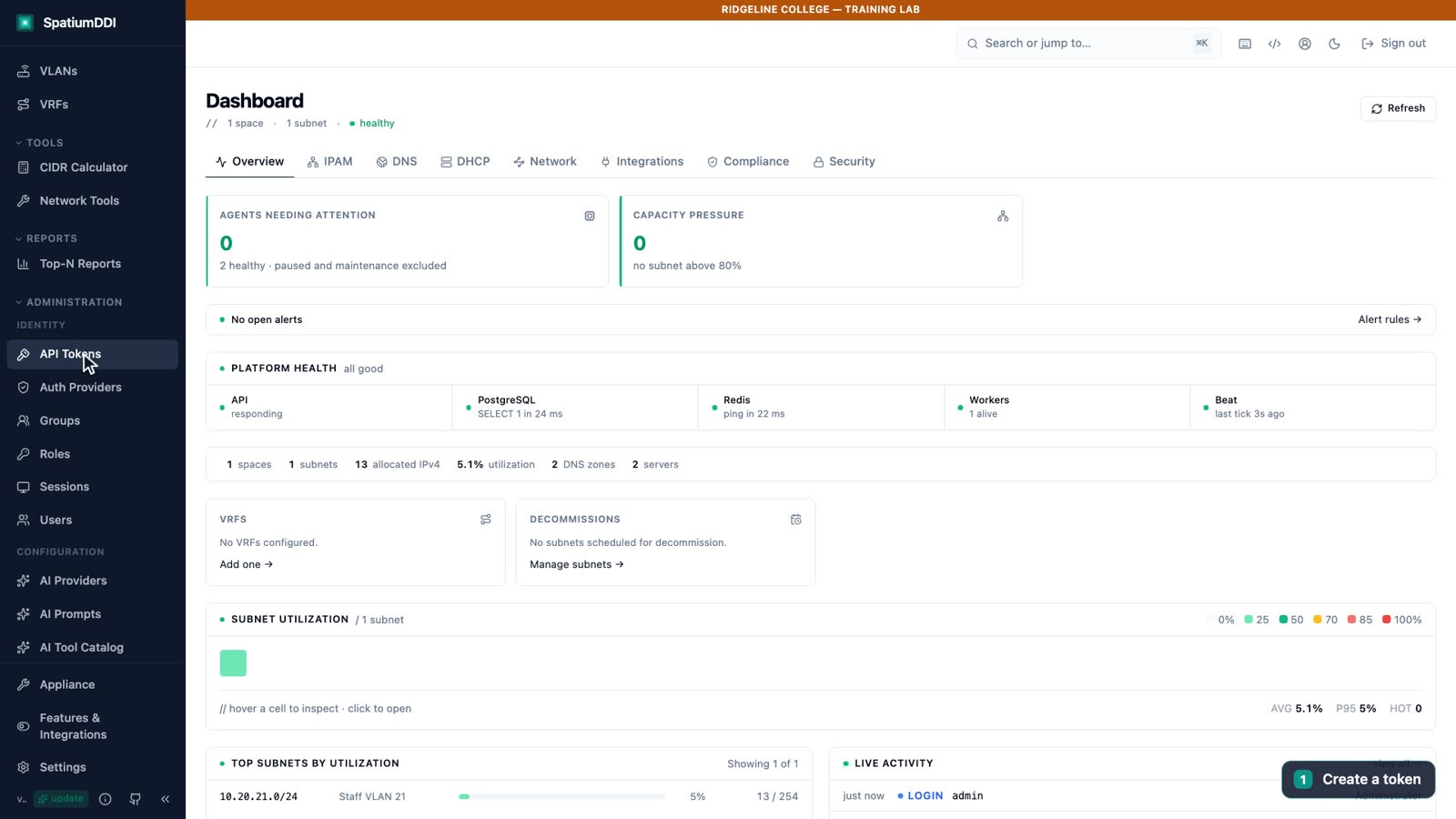
One API behind everything
Section titled “One API behind everything”Every action in the UI is a REST call under /api/v1. Your scripts use the same endpoints, the same permission checks and the same audit log as the browser, so anything you can click, you can script.
- Where it answers. The web port serves the API as well as the UI: in the lab,
http://localhost:8077/api/v1/…. The API container’s own port, 8000, listens only on127.0.0.1by default, for scripts running on the Docker host itself. - Authentication. Every call carries an
Authorization: Bearerheader. The browser sends a session token that lasts 15 minutes; scripts send a long-lived API token that starts withsddi_. - The contract.
/api/openapi.jsondescribes every endpoint of the running build (909 paths in 1.0.0-beta.3). It needs a credential, for examplecurl -H "Authorization: Bearer $TOKEN" "$SPATIUM/api/openapi.json"; the sameopenapi.jsonattached to each GitHub release needs none.GET /api/v1/versiontells a signed-in client which version it’s talking to, and answers"version": "restricted"to anyone else. - Several list shapes. Core lists such as
GET /api/v1/ipam/subnetsreturn a bare JSON array. Newer areas return an envelope withitems,total,limitandoffset, and DNS record and DHCP lease lists returnitems,total,pageandpage_size. Check the route’s schema in the docs before you parse it. - Correlation. Every response carries an
X-Request-IDheader that also appears in the server’s logs. Log it with every failure.
The interactive docs
Section titled “The interactive docs”Swagger UI at /api/docs (and ReDoc at /api/redoc) groups every endpoint by area. Open it from Administration → Reference → API Docs (interactive), which opens http://localhost:8077/api/docs in a new tab; the code icon in the header opens ReDoc. Both pages read the schema with your console sign-in, so they render only while you’re signed in to the console in the same browser; signed out, they ask you to sign in.
Each operation shows a lock; click it, paste a token and Authorize. Try it out and then Execute send the request with that token and show the status code, the response body and the same request as a curl command, which makes a good starting point for a script.
API tokens
Section titled “API tokens”A script should never sign in with a person’s password. An API token is long-lived, narrow and revocable, and you can switch it off without touching anyone’s account. You create tokens under Administration → API Tokens with New Token.
Because a token outlives your session, the New API Token dialog asks you to confirm who you are, and Create stays disabled until you do: your password under Password (local accounts), or a code under Authenticator code (SSO accounts). An account that signs in through SSO must enroll an authenticator before it can create a token.
What a token can do
Section titled “What a token can do”A token acts with its owner’s permissions, and it can never do more than its owner. Three settings narrow it further:
- Scopes limit which kinds of request it may make. Several scopes combine as a union: a request passes if any one of them allows it. With no scope ticked, the token keeps the owner’s full permissions.
- Bind to a resource limits it to one subnet or one DNS zone, so a leaked CI secret can’t touch anything else. The binding can never exceed your own permissions. A bound token only works on routes that can be narrowed to its subnet or zone, mostly in IPAM and DNS; elsewhere, such as dashboards and reports, it gets a 403.
- Expires defaults to 90 days. Never is allowed, and the dialog warns you that long-lived tokens are a security risk.
| Scope in the dialog | Value | Allows |
|---|---|---|
| Read-only | read |
GET, HEAD and OPTIONS only: no changes anywhere |
| IPAM write | ipam:write |
Changes under /api/v1/ipam/*, /vlans/*, /vrfs/* and /network-devices/* |
| DNS write | dns:write |
Changes under /api/v1/dns/* (zones, records, groups, views, blocklists, pools), but not the agent endpoints, /dnsbl/* or /dns-threat/* |
| DHCP write | dhcp:write |
Changes under /api/v1/dhcp/*, but not the agent endpoints |
| Agent | agent |
Only the DNS and DHCP agent endpoints |
Ridgeline’s ridgeline-automation token gets Read-only and IPAM write: it can read everything and change only IPAM. In the lab it can GET anything and POST under /ipam, and a POST to /api/v1/dns/groups comes back as 401.
Shown once, stored as a hash
Section titled “Shown once, stored as a hash”After Create, the dialog Token "<name>" — copy now shows the token for the only time: Reveal displays it, Copy to clipboard copies it, and the dialog reminds you to send it as Authorization: Bearer sddi_…. SpatiumDDI keeps only a SHA-256 hash, so nobody, including a superadmin, can show it again.
Put it straight into your password manager or CI secret store, never into a script, a repository, a chat or a screenshot. If it’s lost, delete the token and create a new one.
Review, revoke and delete
Section titled “Review, revoke and delete”The API Tokens list shows each token’s Name, Prefix, Scopes, Expires, Last Used and Status (Active, Revoked or Expired), plus an Owner column when the list holds more than one person’s tokens. The prefix is the first few characters, enough to recognize a token without exposing it. You see your own tokens; superadmins see everyone’s.
- Revoke switches a token off at once and keeps its row, so its history stays visible for an investigation. Only a superadmin can turn it back on, with Re-enable and a password confirmation; an owner creates a new token instead, and an expired token can’t be re-enabled.
- Delete removes it for good.
Either way, the next request with that token gets a 401, and the audit log records the action. Last Used counts reads as well as changes, recorded at most once a minute per token, so it’s a fair guide to which tokens are still in use. To rotate a token, create the new one, deploy it, confirm the script works, then revoke or delete the old one. Widening an existing token’s scopes asks for your password too; narrowing them doesn’t.
Automation patterns that stay safe
Section titled “Automation patterns that stay safe”A good script is boring: it looks things up instead of assuming, lets the server make the risky decisions, and proves its result.
Look things up; don’t hard-code IDs
Section titled “Look things up; don’t hard-code IDs”Objects are identified by UUIDs, which differ between installs and change if an object is deleted and recreated. Find the ID from something stable, as the lab does when it filters the subnet list on network. Inside a subnet, GET /api/v1/ipam/subnets/{id}/addresses accepts filters such as hostname, mac and q, so a script can check whether a host already exists before it creates one.
Let the server pick the address
Section titled “Let the server pick the address”POST /api/v1/ipam/subnets/{id}/next allocates the next free address and needs a hostname. It locks the subnet row while it picks, so two scripts running at once can’t get the same address, and it skips dynamic DHCP pools. GET /api/v1/ipam/subnets/{id}/next-ip-preview shows the address it would pick without allocating anything. With SPATIUM, TOKEN and SUBNET set as in Lab 8 below:
curl -s -X POST -H "Authorization: Bearer $TOKEN" -H "Content-Type: application/json" \ "$SPATIUM/api/v1/ipam/subnets/$SUBNET/next" \ -d '{"hostname":"kiosk-02","description":"created via API"}'It skips only dynamic pools. Excluded and reserved ranges are informational in IPAM, so in Staff VLAN 21 it would hand out the first free address, 10.20.21.2, inside Ridgeline’s .1–.9 “Network infrastructure” range. Preview first, or allocate a specific address, the first time you point a script at a subnet.
Treat a 409 as information
Section titled “Treat a 409 as information”- Collision warnings come back as a 409 whose
detailholdswarningsand"requires_confirmation": true: the same hostname already exists in the zone, the MAC is already in use, or a manual address sits inside a dynamic pool. Send the request again with"force": trueonly after a person or a rule has looked at the warnings. - An address that’s already allocated in the subnet is a plain 409. Don’t force it; pick another address.
Run the lab’s kiosk request twice and the second attempt returns 409 rather than creating a duplicate. Treat that as “it already exists: go and check it”, not as a reason to retry.
Read the status code before you retry
Section titled “Read the status code before you retry”| Code | What it means | What to do |
|---|---|---|
| 401 | The token is missing, wrong, revoked or expired, or the detail says “Token scope insufficient for this request” | Fix the token or its scopes; retrying won’t help |
| 403 | The token is valid, but the owner’s roles refuse the action, a bound token called a route it can’t be narrowed to, or the owner still has a forced password change pending | Fix the owner’s roles or the binding |
| 404 | The object doesn’t exist, or its feature module is turned off | Check the ID, then Features & Integrations |
| 409 | A conflict or a collision warning | Read detail, as above |
| 413 | The request body is too large: the API takes up to 8 MiB, and most routes accept 1 MiB through the web port | Send smaller batches |
| 422 | The request body or parameters failed validation; detail names the fields |
Fix the payload |
| 429 | A rate limit or attempt budget tripped, such as sign-in attempts or password confirmations | Wait, honoring Retry-After when it’s sent |
| 503 | Maintenance mode: writes are refused, with Retry-After: 120, while reads still work |
Back off and try again later |
In 1.0.0-beta.3 a scope refusal is a 401. The next release answers it with a 403 instead (#3223), so a script that has to keep working across an upgrade should check detail as well as the code.
Check your own work
Section titled “Check your own work”After a write, read the object back. For anything that publishes DNS, resolve the name, as Lab 8 does with dig. Every change your script makes also lands in the audit log, like any other change.
Beyond scripts
Section titled “Beyond scripts”Two more integration points are documented. GET /api/v1/ansible/inventory returns an Ansible dynamic inventory built from IPAM; give it a read-only token.
Webhooks under Administration send signed, retried notifications of typed events (such as space.created or dhcp.scope.deleted) to your own receiver, so a pipeline can react to changes instead of polling. Receivers should ignore an event ID they’ve already processed.
Hands-on lab
Section titled “Hands-on lab”Register a kiosk from a script
You will:
- Create the scoped, expiring token ridgeline-automation
- Make a first call from the interactive API docs
- Register kiosk-01 with curl and resolve it with dig
Before you start: Finish Labs 2 and 3 first, so the zone, the reverse zone and Staff VLAN 21 exist. Sign in as admin. You need curl, python3 and dig in the terminal you run the lab from (WSL 2 on Windows).
-
Open Administration → API Tokens and click New Token.
-
Enter Name
ridgeline-automationand DescriptionLibrary lab inventory script. Keep Expires at 90 days. -
Under Scopes, tick Read-only and IPAM write. Leave Bind to a resource (optional) at No resource binding. In the box at the bottom, enter
admin’s password (LAB_ADMIN_PASSWORDinlab/.env) under Password (local accounts), then click Create, which is enabled now. -
In the “copy now” dialog, click Copy to clipboard and keep the token somewhere safe for the rest of the lab. Copy it before you close the dialog, because it can’t be shown again. Then click I’ve copied it — Done.
-
Open Administration → Reference → API Docs (interactive). In the new tab (
http://localhost:8077/api/docs), findGET /api/v1/ipam/subnetsunder ipam. Click its lock, paste the token, click Authorize, then Close. -
Click Try it out, then Execute. The response code is 200, the body lists Ridgeline’s subnets, and the curl command above it carries the
Authorization: Bearerheader. -
In a terminal, set two variables, replacing
<your-token>with the value you copied:Terminal window export SPATIUM=http://localhost:8077export TOKEN='<your-token>' # the sddi_… value you copied -
Find Staff VLAN 21’s ID. The command filters the subnet list on its network and prints a UUID:
Terminal window # Find Staff VLAN 21's idSUBNET=$(curl -s -H "Authorization: Bearer $TOKEN" "$SPATIUM/api/v1/ipam/subnets" \| python3 -c 'import json,sys; print(next(s["id"] for s in json.load(sys.stdin) if s["network"]=="10.20.21.0/24"))')echo "$SUBNET" -
Register the library kiosk. The JSON response includes
"fqdn": "kiosk-01.corp.example.edu"and"status": "allocated":Terminal window # Register the library kioskcurl -s -X POST -H "Authorization: Bearer $TOKEN" -H "Content-Type: application/json" \"$SPATIUM/api/v1/ipam/subnets/$SUBNET/addresses" \-d '{"address":"10.20.21.40","hostname":"kiosk-01","description":"created via API"}' -
Resolve the new name. BIND9 answers
10.20.21.40:Terminal window dig @127.0.0.1 -p 1053 +short kiosk-01.corp.example.edu -
In IPAM, open
10.20.21.0/24:10.20.21.40iskiosk-01, with its A and PTR records. In API Tokens, the token’s Last Used shows a time: your calls from the docs and the terminal count, reads included.
PowerShell 7 equivalent of steps 7 to 9. It wasn’t run in the Academy lab, so treat it as a starting point and test it before you rely on it. Use either the bash commands or this, not both: a second registration of the same address returns 409.
$Spatium = "http://localhost:8077"$Headers = @{ Authorization = "Bearer <your-token>" }$Subnet = (Invoke-RestMethod "$Spatium/api/v1/ipam/subnets" -Headers $Headers | Where-Object network -eq "10.20.21.0/24").id$Body = @{ address = "10.20.21.40"; hostname = "kiosk-01"; description = "created via API" } | ConvertTo-JsonInvoke-RestMethod "$Spatium/api/v1/ipam/subnets/$Subnet/addresses" -Method Post -Headers $Headers -ContentType "application/json" -Body $Body./lab/check.sh 8Knowledge check
Section titled “Knowledge check”Go deeper
Section titled “Go deeper”- REST API: versioning, the interactive docs, authentication, token scopes, list shapes, error codes and body limits
- Auth and permissions: API tokens: scopes, resource binding, the step-up on creation, storage and the token lifecycle
- IPAM features: next-available allocation, DHCP pool types and collision warnings
- Observability §5b: typed-event webhooks, signing and delivery
- Security hardening: least privilege for people and tokens